Your AI Productivity Guide
Use this assistant to plan, write, diagram, and research faster. Whether you're managing products or creating user flows — here’s how to make the most of it.
Chat Functionality
Visit the Chat to:
💡 Ideation
Generate product ideas, UX improvements, or feature concepts.
📋 Project Management
Use Scrum, Kanban, or OKRs. Break down initiatives into phases.
✅ Ticket Writing
Draft detailed Jira or Linear tickets based on user stories or ideas.
🔍 Product Research
Ask about trends, competitors, or user research approaches.
User: What are useful prompts?
Bot: Try things like:
- "Write a detailed ticket for implementing user authentication with OAuth2."
- "Create OKRs for a cross-functional product team."
- "Compare Lean Canvas vs Business Model Canvas."
- "Generate a flowchart for our product onboarding."
Diagram Functionality
Use the AI Diagram Editor to generate diagrams from natural language prompts or markdown-style input. It supports various diagram types including flowcharts, mindmaps, sequence diagrams, and Gantt charts.
Tips for using the Diagram Editor:
- Manual editing: Use markdown to define flows, states, or structures.
- AI assistance: Input plain language to generate or extend diagrams.
- Live preview: Click "Render Diagram" to see updates instantly.
- Flexible support: Works with Mermaid.js formats like flowcharts, mindmaps, class diagrams, and more.
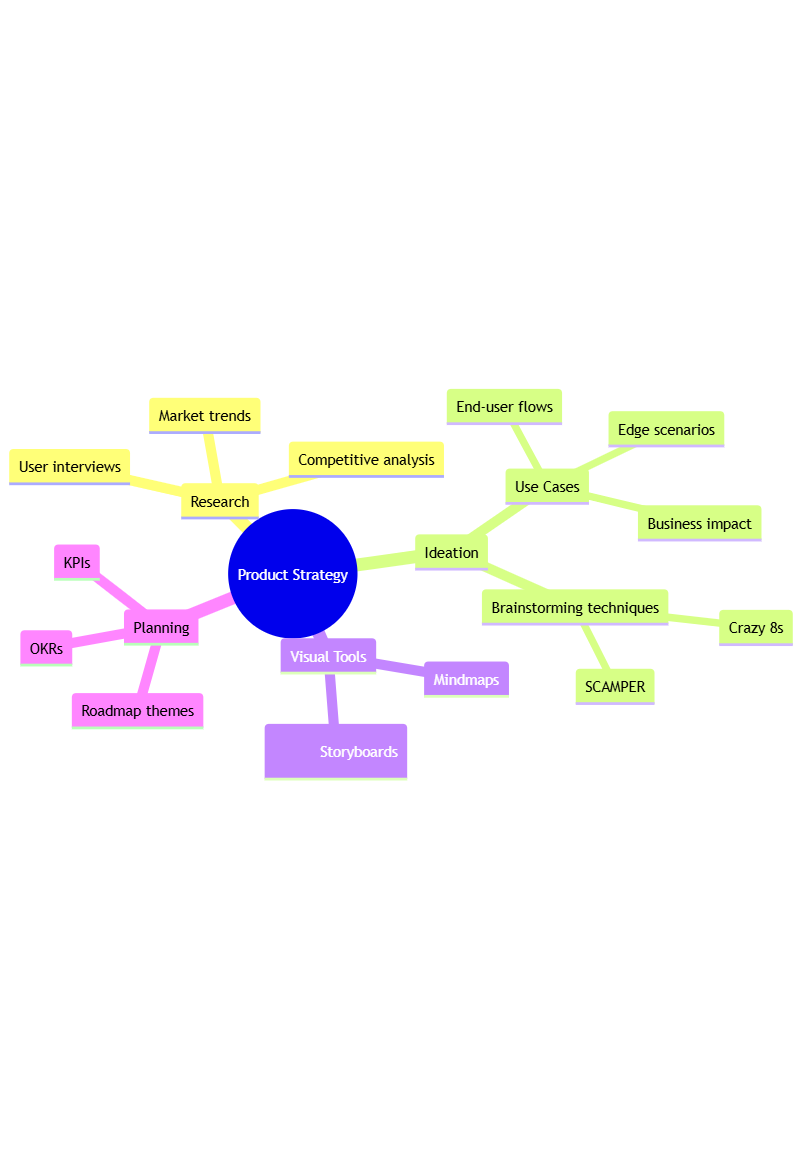
Mindmap
Prompt: "Generate a mindmap for product strategy planning."
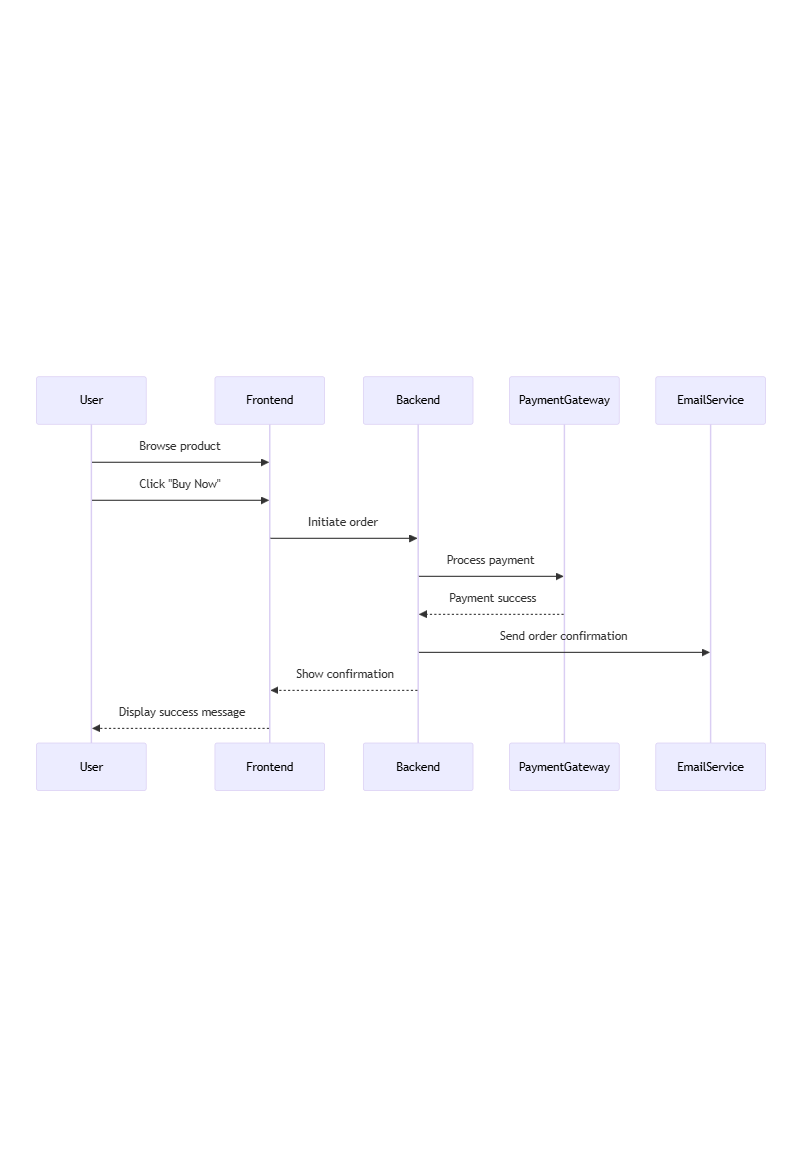
Sequence Diagram
Prompt: "Create a sequence diagram for a typical e-commerce purchase flow."
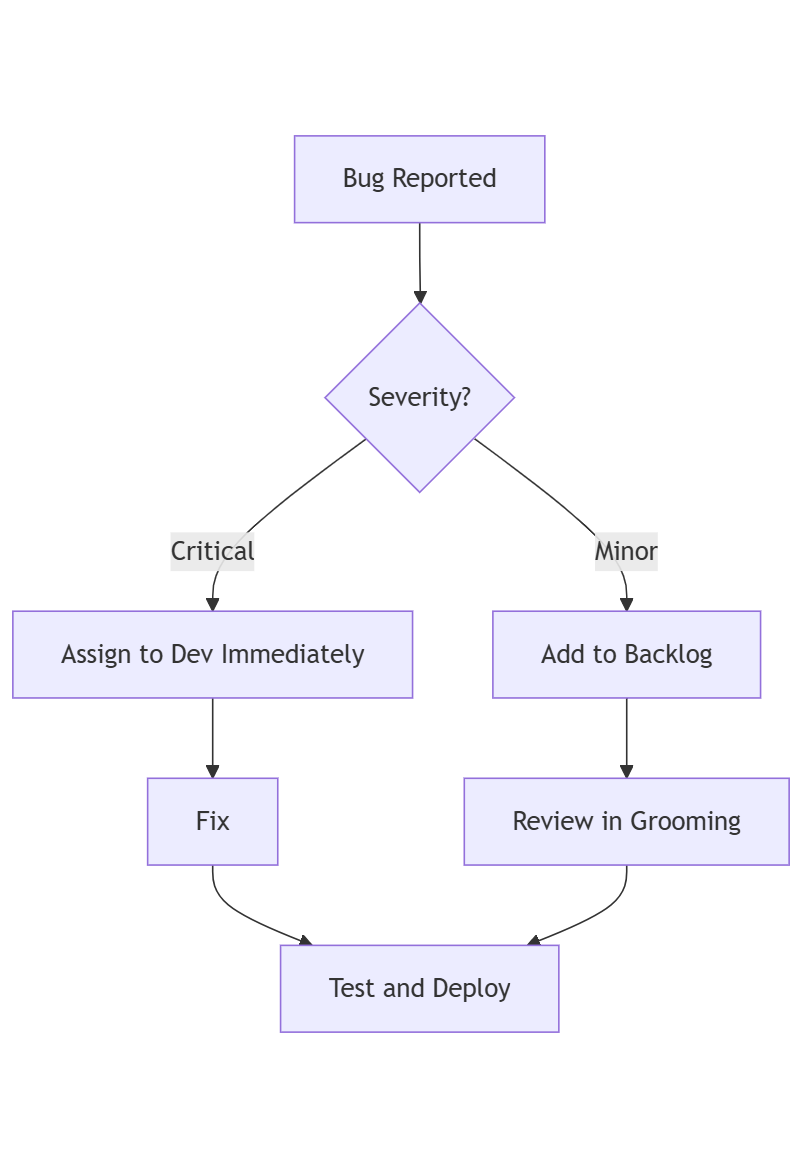
Flowchart
Prompt: "Visualize how the product team triages bugs."
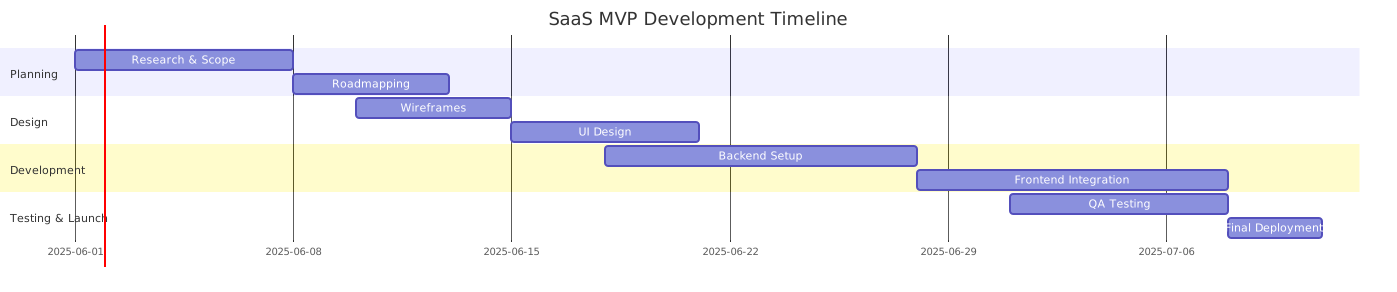
Gantt / Roadmap
Prompt: "Show a Gantt chart for MVP delivery in 30 days."
📣 Feedback or Ideas?
We’re constantly improving this tool. Found a bug or have a suggestion?
Contact Us